Software Reality Check
Infinix XOS 16 Update for Hot 50 Pro Plus
If you are searching for the Infinix XOS 16 update on the
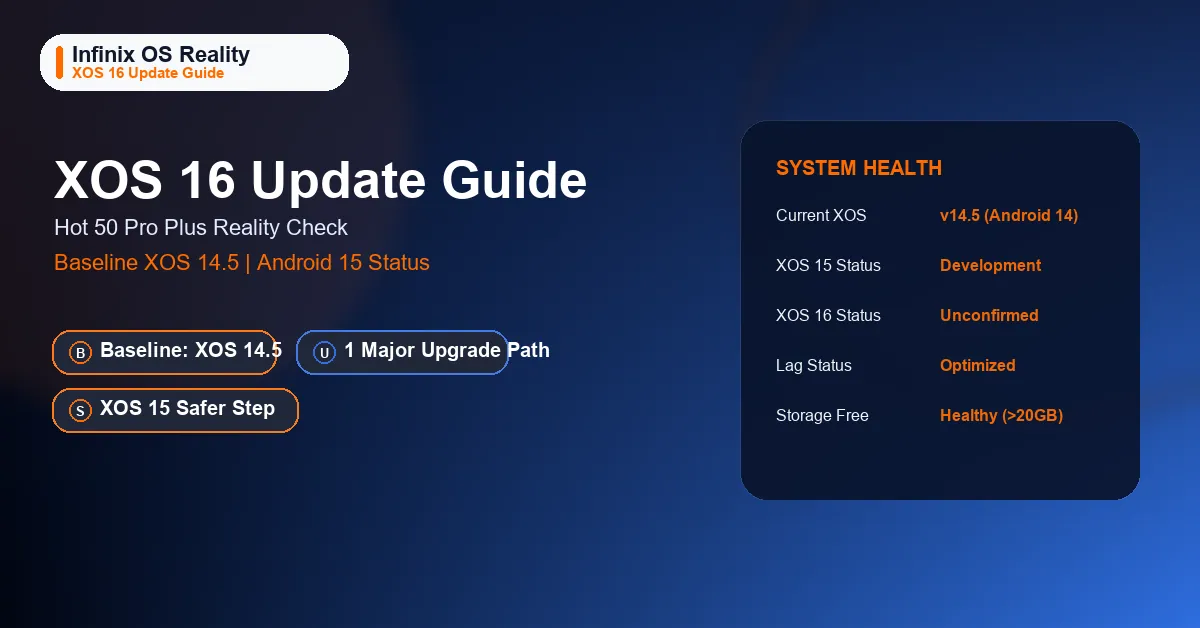
Hot 50 Pro Plus, the key fact is simple: as of July 1, 2026, we could not
confirm a public Pakistan source showing this device on XOS 16 or giving it a dated XOS 16 rollout timetable.
Android 14 + XOS 14.5
Up to 1 major Android upgrade
Android 15 + XOS 15
Not confirmed publicly
Updated research note: the live
WhatMobile Hot 50 Pro Plus listing,
the
WhatMobile Note 50 Pro listing,
and the relevant
Infinix Pakistan Hot 50 Pro+ and
Note 50 Pro product pages were checked on
July 1, 2026. The Hot 50 Pro Plus still publicly aligns with Android 14 and XOS 14.5, while the newer Note 50 Pro already sits on Android 15 and XOS 15.
Short Answer
- No public Pakistan source checked on July 1, 2026 confirmed the Hot 50 Pro Plus on XOS 16.
- The strongest public software baseline still points to Android 14 and XOS 14.5.
- The same public listing also says up to 1 major Android upgrade.
- That makes Android 15 with XOS 15 the safer expectation before anyone starts confidently promising XOS 16.
What the Current Public July 1, 2026 Baseline Shows
The clean way to answer an update query is to start from the current software position, not from rumor cycles.
Once you do that, the Hot 50 Pro Plus looks much clearer than many older update posts suggest.
| Source | Phone | Software Line Seen | Why It Matters |
|---|---|---|---|
| WhatMobile | Hot 50 Pro Plus | Android 14, XOS 14.5, up to 1 major Android upgrade | This is the strongest public Pakistan-market clue for the device’s current software and likely near-term ceiling. |
| WhatMobile | Note 50 Pro | Android 15, XOS 15, up to 2 major Android upgrades | This shows what the newer Infinix software generation already looks like in the same market. |
| Infinix Pakistan | Hot 50 Pro+ | No public Pakistan OTA date for XOS 16 was visible on the checked product pages | This is why a precise Pakistan XOS 16 month should not be claimed without stronger evidence. |
Is XOS 16 Confirmed for the Hot 50 Pro Plus?
No public confirmation was found in the sources checked on July 1, 2026. That does not
prove the phone will never move beyond XOS 15. It simply means the public evidence available right now is not
strong enough to promise an XOS 16 rollout for Pakistan.
If you only saw the current public baseline, the honest sequence would be:
XOS 14.5 now, then potentially XOS 15 with the phone’s one major Android
jump. That is why our dedicated
Android 15 update guide
is the more important page for most owners today.
Practical reading: if a page promises a Hot 50 Pro Plus XOS 16 month without showing a dated
official notice, a public OTA changelog, or a verified regional build reference, treat that timeline as weak.
What Is the Safer Software Expectation First?
Why XOS 15 Comes Before XOS 16 in the Realistic Path
- The Hot 50 Pro Plus is still publicly listed on Android 14 + XOS 14.5.
- The newer Note 50 Pro is already publicly listed on Android 15 + XOS 15.
- The Hot 50 Pro Plus listing says up to 1 major Android upgrade.
- That makes Android 15 with XOS 15 the better-supported expectation than a direct jump to a confidently promised XOS 16 future.
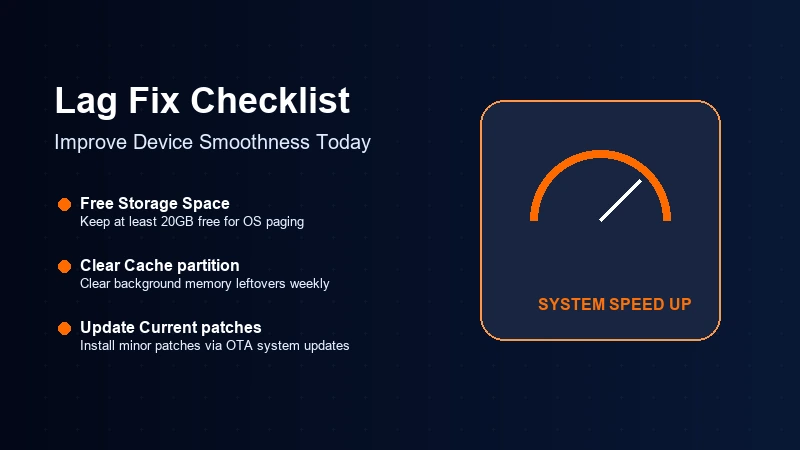
If the Phone Feels Laggy Right Now
- Install the latest currently available OTA, even if it is not labeled XOS 16.
- Keep healthy free storage so background maintenance and app updates do not choke the device.
- Reduce aggressive background behavior from apps you do not actually use.
- Check overheating, damaged screens, or battery issues before blaming everything on software.
5 Safe Lag Fixes You Can Use Before Any Major Update
- Install your current OTA first. Minor patches can improve stability even when they are not major XOS jumps.
- Free up storage. A nearly full phone often feels worse than an older phone with breathing room.
- Restart weekly. That clears short-term memory clutter and background app residue.
- Review refresh rate and background sync. Some users prefer fixed smoothness, while others need better battery behavior. Pick based on your pain point.
- Use the hardware checklist. If the phone overheats heavily, touch response feels broken, or charging is unstable, you may be dealing with a hardware problem rather than an XOS problem.
For broader day-to-day troubleshooting, our
common problems and fixes guide
and
long-term review
are more useful than waiting for an unconfirmed XOS 16 timeline.
Should Buyers Wait for XOS 16 Before Purchasing?
If you already own the Hot 50 Pro Plus, the important milestone is still the phone’s likely Android 15 and
XOS 15 path. If you are buying fresh and long software runway matters a lot, newer Infinix models starting from
Android 15 are structurally safer.
| Buyer Type | Better Move | Reason |
|---|---|---|
| Current Hot 50 Pro Plus owner | Track Android 15 and XOS 15 first | That is the more evidence-backed software milestone right now. |
| Style-first budget buyer | Hot 50 Pro Plus still makes sense | The hardware value story still holds if price matters more than the longest update runway. |
| Buyer who keeps phones longer | Compare with Note 50 Pro | The newer software starting point and longer upgrade promise are better aligned with long ownership. |
Bottom Line
The strongest defensible answer to the Infinix XOS 16 update question is that
Hot 50 Pro Plus owners should not treat XOS 16 as confirmed in Pakistan yet. The current public
software baseline still points to Android 14 and XOS 14.5, and the safer next milestone is
Android 15 with XOS 15.
FAQ
Is the Hot 50 Pro Plus on XOS 16 now?
No public Pakistan reference checked on July 1, 2026 showed the Hot 50 Pro Plus already on XOS 16.
Will the Hot 50 Pro Plus get XOS 16 after Android 15?
That is not publicly confirmed in the sources checked on July 1, 2026. The safer near-term expectation is Android 15 with XOS 15.
What should I check instead of waiting for XOS 16 rumors?
Check your current OTA version, free storage, battery health, overheating behavior, and the phone’s current Android 14 and XOS 14.5 baseline before blaming everything on a missing major update.